React development services
React Developer for Hire: Dashboards, SaaS UIs and Offline-First Apps
I build React front-ends that real people use every day: dashboards, SaaS interfaces, admin tools and offline-first apps that keep working when the internet doesn't. Clean structure, sensible state management and code your next developer will thank you for.
Who it's for
- Founders who need a dashboard, admin panel or SaaS interface built properly the first time.
- Small teams whose React app has become slow, buggy or scary to change.
- Products built quickly with AI tools that now need a solid, maintainable front-end.
- Businesses that need an app to keep working offline, such as shops, field teams or restaurants.
- Teams that want a consistent component library or design system across their product.
- Agencies and in-house teams that need an experienced React developer for a defined project.
What I build with React
React (opens in a new tab) is one of the most widely used libraries for building web interfaces, and it is where I've spent most of my career. If you're looking to hire a React developer, these are the kinds of things I build most often:
- Dashboards and reporting screens. Tables, filters, charts and summaries that turn your data into something people can act on. Good React dashboard development is mostly about making large amounts of information feel calm and easy to scan.
- SaaS interfaces. The logged-in part of your product where customers do their work. At timegram I worked on the interface for a privacy-first time-tracking SaaS that maps system activity to tasks so teams can bill clients precisely.
- Point-of-sale and offline-first apps. Software that has to keep working at a busy counter, whatever the Wi-Fi is doing.
- Admin and internal tools. The screens your team uses to manage customers, orders or content, which often grow quietly until they're holding the business together.
I've also built React apps at Atompoint, for its Global School Payment platform that manages school fees at global scale, and at Udhaar Book. You can see more on my work page.
How I structure React apps that stay easy to change
Most React apps don't fail at launch. They fail six months later, when every small change breaks something else. My job is to set things up so that doesn't happen.
Component-driven architecture
I break the interface into small, reusable components with clear responsibilities. A button, a form field and a data table are each built once and used everywhere, so a design change happens in one place instead of fifty.
State management and data fetching
"State" is simply the information your app is holding at any moment: who's logged in, what's in the basket, which filter is selected. I'm deliberate about where each piece lives. Data from your server is fetched, cached and refreshed in one consistent way, and screen-level details stay local to the screen. This is what prevents the classic bugs where two parts of the page disagree.
Forms, TypeScript and testing
Forms get proper validation and helpful error messages. I write in TypeScript where it fits, which lets the code check itself for many mistakes before your users ever see them. I add automated tests around the logic that matters most, such as pricing, permissions and checkout flows.
Accessibility
I build with keyboard navigation, sensible headings and labelled controls from the start. It's far easier than retrofitting later, and it makes the product better for everyone.
Offline-first apps and complex business logic
At Grappetite I lead the front-end of an offline-first point-of-sale system for retail and restaurants, built with React, Material UI and WatermelonDB. The core promise is simple: the store keeps selling when the internet drops.
Building an offline-first React app means treating the device as the main source of truth. Sales, stock and orders are saved locally first, then synced with the server when the connection is back. That raises real design questions, such as what happens when two tills change the same record, or how you show staff that something hasn't synced yet. If your users work in shops, warehouses, kitchens or out in the field, these are questions worth answering before you build.
Working with an existing or AI-generated React codebase
Plenty of the apps I see were built fast, sometimes by several freelancers, sometimes largely by AI tools. They work, but each new feature takes longer than the last.
The right answer is rarely a full rewrite. Usually I refactor in place: fixing the riskiest areas first, pulling repeated code into shared components and untangling state, all while your product keeps shipping. If a rewrite really would cost you less over time, I'll explain why in plain terms. If your app was built with AI tools, my service for making an AI-built app production-ready goes deeper, and a fixed-price production audit is a good way to get an honest assessment before committing to bigger work.
React or Next.js: when you need which
Next.js is a framework built on top of React. Both use the same components, so the choice is about how your pages are delivered:
- Plain React suits apps that live behind a login, like dashboards, admin tools and point-of-sale systems, where search engines don't matter.
- Next.js suits marketing sites, content and anything that needs to rank in Google or load quickly for first-time visitors.
Many products use both. If you need public pages as well, take a look at my Next.js development service.
UI libraries and design systems
You don't need to design every button from scratch. I've built production apps with Material UI and Ant Design, both mature component libraries that give you accessible, consistent building blocks quickly. On top of these I can create your own design system: a shared set of colours, typography and components that keeps every screen feeling like the same product.
If you'd like to talk through your React project, you can request a free call or check the options on my pricing page.
What's included
Component architecture
A clear folder structure and reusable components, so new screens are assembled from parts you already have rather than built from scratch.
Responsive, accessible UI
Interfaces that work on phones, tablets and desktops, with keyboard support, readable contrast and proper labels for screen readers.
State and data layer
A deliberate approach to where data lives, how it is fetched and cached, and how screens stay in sync without confusing bugs.
API integration
Your front-end connected cleanly to your REST APIs or Firebase, with loading, error and empty states handled properly.
Performance work
Faster load times and smoother interactions by trimming unnecessary re-renders, splitting large bundles and loading only what each screen needs.
Tests where they add value
Automated tests around the business logic and flows that would hurt most if they broke, rather than tests for the sake of a number.
Documentation and handover
Written notes on how the app is structured, how to run it and how to extend it, plus a walkthrough call so your team can take over confidently.
How it works
Step 1: Free 20-minute call
Day 1
You tell me what you're building or what's going wrong, and I'll tell you honestly whether React work is the right next step.
Step 2: Codebase review and fixed quote
Within a few days
I look at your existing code or designs, then send a fixed quote broken into milestones, so you know the cost before any work starts.
Step 3: Build in milestones
Weeks 1 onwards
I build in small, reviewable pieces with a preview you can click through each week and a short written update on progress.
Step 4: Launch
We test the finished work together, fix anything that comes up and release it to your users.
Step 5: Handover or ongoing support
You receive the code, documentation and a walkthrough. If you want continued help, an optional monthly retainer keeps me on hand.
Related case studies

Mobility · Car rental & ride sharing · 2023
Rentalsols: Car Rental and Location-Based Car Pooling Web App
Car rental marketplace plus location-based car pooling, built as our own product by a team of three with React, Firebase and Google Maps.
2 products car rental marketplace and location-based car pooling in one app
- React
- Redux Toolkit
- Ant Design
- SQL database
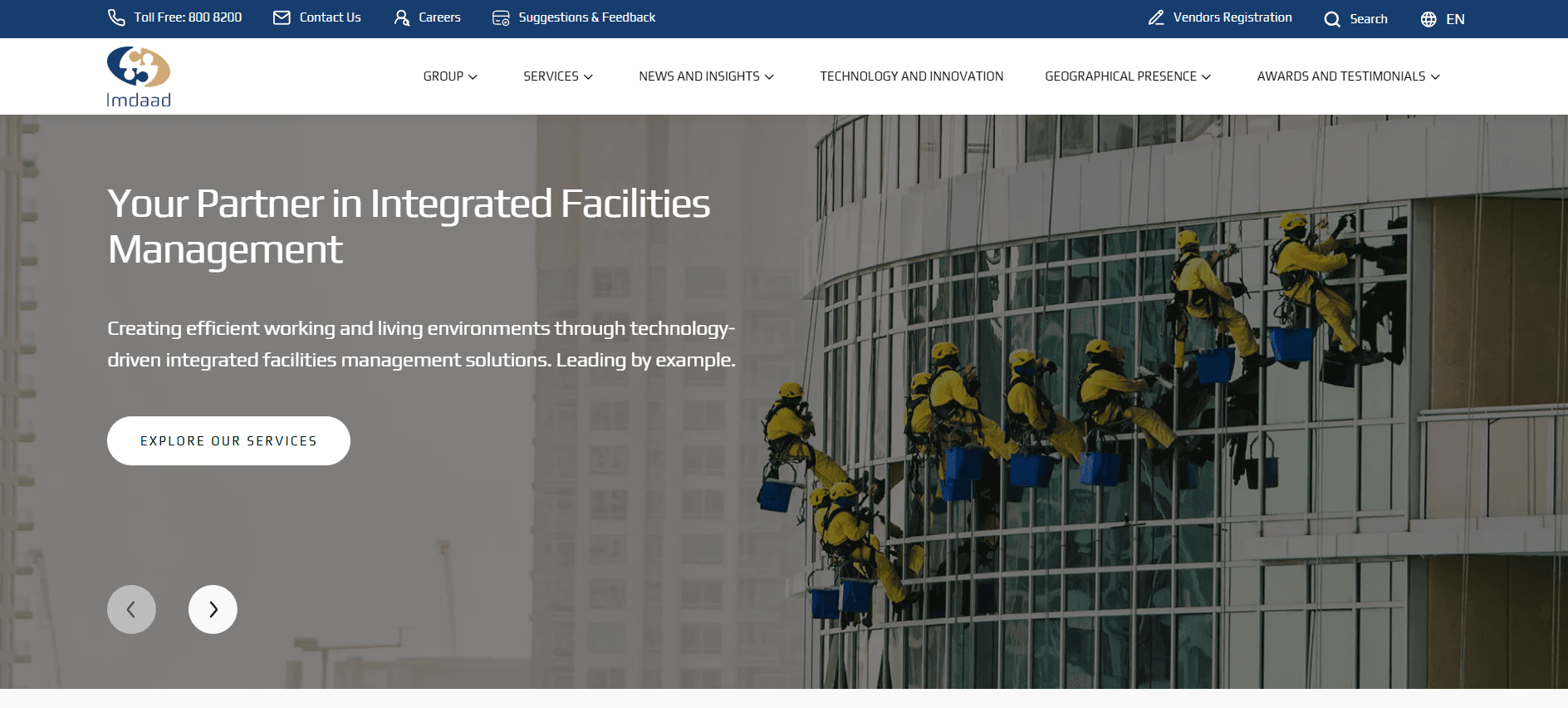
Facilities Management · Corporate website · 2025
Imdaad: A Bilingual Corporate Website on React and Contentful
Freelance build of Imdaad's English and Arabic corporate website on React, TypeScript and Contentful, from mid-build to launch, plus a caching fix.
6–8 months from mid-build to full launch
- React
- TypeScript
- Contentful (headless CMS)
- English + Arabic (RTL)
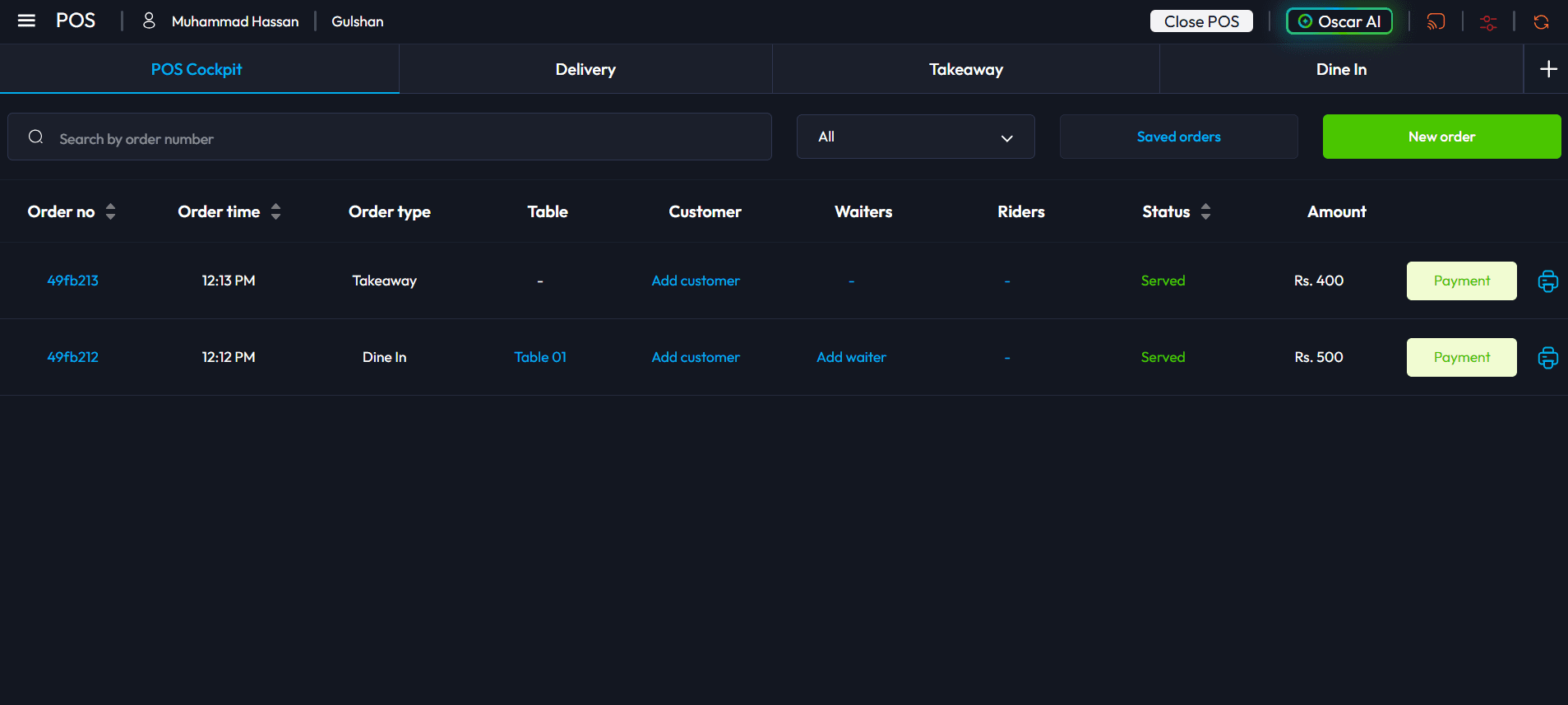
SaaS · Point of Sale (Restaurants & Retail) · 2026
Oscar POS: An Offline-First Point of Sale for Restaurants and Retail
2 years building Oscar, an offline-first POS for restaurants and retail in Pakistan: web app revamp, kitchen display, printer routing and tax integrations.
2 years from the web app revamp to the core POS features
- React
- WatermelonDB (offline-first, browser storage)
- WebSockets
- Django
FAQ
Questions about this service
How much does it cost to hire a React developer for a project?
Every project gets a fixed quote after a free call and a look at your code or designs, and you pay per milestone rather than all up front. For smaller tasks I also work hourly at $20/hour, or on a $1,000/month retainer for 15 hours per week. You can see every option on the pricing page.
Can you take over a React app another developer started?
Yes, and it's a large part of what I do. I start by reviewing the code so I understand how it's built and where the risks are. From there I can keep extending it, tidy up the worst areas as I go, or recommend a larger refactor if that will genuinely save you money.
Our app was built with AI tools and it's getting messy. Can you help?
Yes. I use AI coding tools daily myself, and I review AI-generated code with the same rigour as code written by a person. I'll find the duplicated logic, fragile state and missing error handling, then restructure it so you can keep building on it safely.
Do I need React or Next.js?
If your app sits behind a login, like a dashboard or internal tool, plain React is often enough. If you need pages that rank in Google and load quickly for first-time visitors, Next.js is usually the better fit. I'll recommend one on our first call based on what you're building.
Can a React app really work offline?
Yes. I currently lead an offline-first point-of-sale system built with React and WatermelonDB, which stores data on the device and syncs with the server when the connection returns. Not every app needs this, but if your users work somewhere with patchy internet it can make a big difference.
Who owns the code when the project is finished?
You do. Once the work is paid for, all the code belongs to you, and I'm happy to sign an NDA before we start. You also get documentation and a handover so you're never dependent on me.